No Barcode? No Problem. Identify Untagged Inventory in a Snap.
Use your phone as an expert item scanner.
Eliminate messy tags. Empower your specialty shop staff to instantly identify unique, untagged items, access your private catalog, and answer customer questions in seconds.
Before“Let me text the manager.”
After“That is the 1960s Murano glass vase. It is $150.”
- Searches your private catalog, not the public web.
- Works when tags are missing, damaged, or hard to read.
- Gives every employee instant item expertise.
No credit card required · Free up to 20 active items
Get your team scanning in three steps
Build your catalog
Add names, categories, locations, prices, and notes.
Your team starts scanning
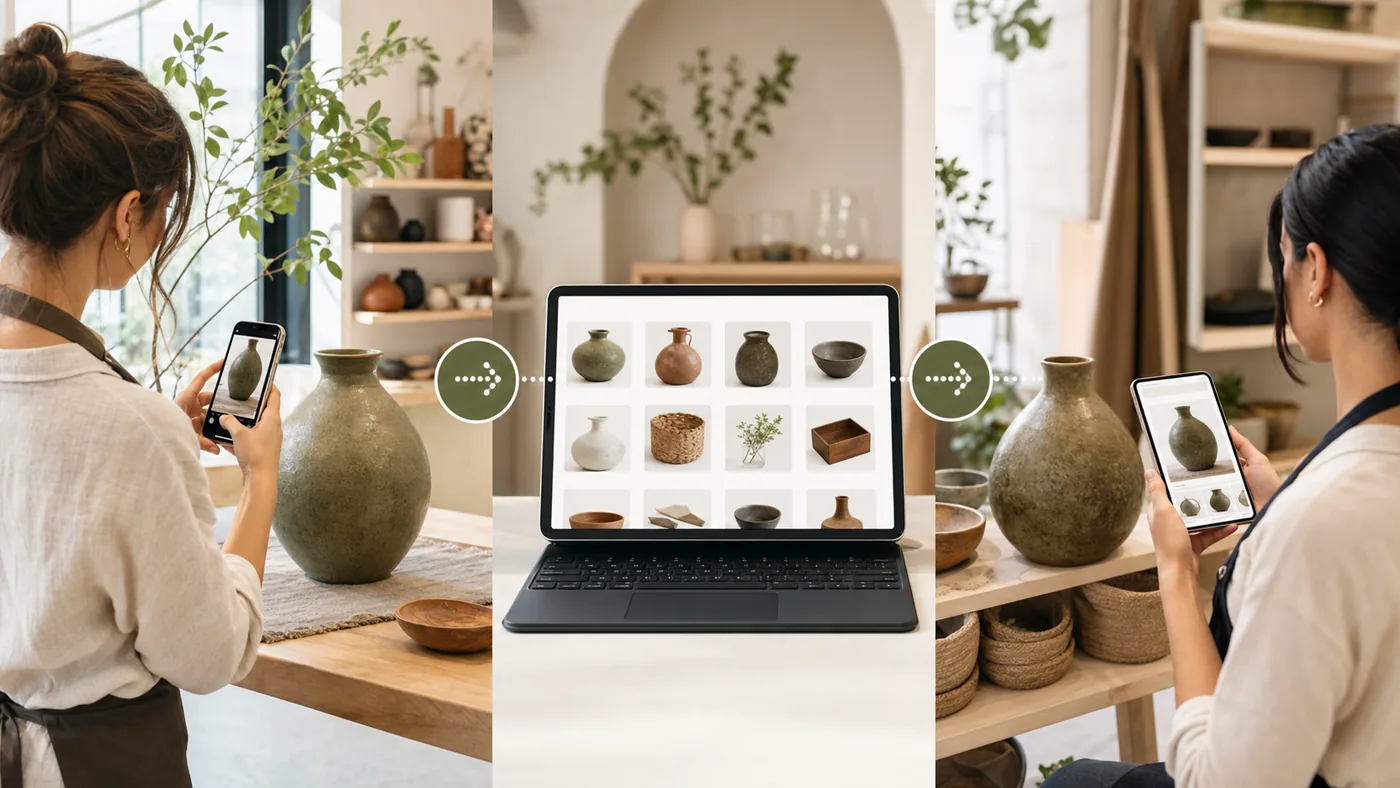
Any employee can point their phone at an item and get the closest private match.
Your catalog can build itself
Connect your checkout system (POS) and Train My Camera imports your products automatically — names, prices, barcodes, sizes, and photos. It stays in sync on its own, and it never writes anything back.
- Works with Zettle, Shopify, Square, Front Systems, and Sitoo
- Products with sizes become one item with a size picker — sizes don't count against your item limit
- Test the connection free: every plan, including Free, can sync up to its item limit.
Build a real catalog without typing everything twice
Connect the system you already sell with, or import a spreadsheet. Train My Camera can bring in names, categories, prices, SKUs, barcodes, product IDs, and product images where available, then use that private catalog for visual scanning.



 Front Systems

Direct checkout sync
Connect Zettle / PayPal POS, Shopify, Square, Front Systems, or Sitoo. Choose all products, selected categories, or individual products to keep synced.
Read-only by design
Your checkout system remains the source of truth. Train My Camera reads product data for recognition and does not write changes back.
Spreadsheet fallback
Import CSV/XLSX, map columns to catalog fields, preserve extra fields as Additional info, and match photos by filename, SKU, or item name.
After a visual match, show the code your checkout scanner needs
If an item has a barcode, SKU, product ID, or synced variant ID, scan results can display a barcode or QR code for the employee to scan into the checkout system.
Barcode and QR display
Show EAN-13, UPC-A, Code 39, or QR from the field your team chooses.
Useful when labels are missing
Identify the item visually, then use the generated code when the original product tag is missing, damaged, or hard to reach.
Works with synced data
Use imported barcode fields, SKUs, product IDs, or variant IDs from the connected checkout system when available.
One garment, every size
Scan a dress and get one clean result — not five duplicates. Tap the size, and the exact barcode for that size is on screen, ready for your checkout scanner.
Size, price, SKU, and stock come straight from your checkout system.
For inventory the internet does not know
Standard scanners need barcodes. Web searches need keywords. Train My Camera uses the visual catalog your business creates.
No labels required
Use the camera when tags are gone, damaged, or too slow to find.
Made for one-off items
Catalog handmade pieces, custom variants, gallery works, and samples.
Answers at their fingertips
One scan shows the item name, category, location, price, barcode or QR code, and private notes.
Built specifically for unique, untagged inventory.

Artisan & Maker Shops
Perfect for ceramics, custom jewelry, and handmade textiles. Stop ruining beautiful handmade items with sticky tags. Let staff identify unique variants and pricing from a simple photo.

Vintage & Second-Hand
Preserve unique item history and intake pricing even when a physical tag falls off or is swapped. Ideal for high-turnover 1-of-1 items.

Art Galleries
Keep your gallery pristine. Pull up artist notes, edition details, and confidential pricing from a photo of the work, no ugly wall labels required.

Pop-ups & Craft Fairs
Relying on weekend help for a busy market? Give them a visual catalog on their phone so they never undercharge or forget a product's story.
Ready to catalog your unique inventory?
Start for Free
No credit card required · Free up to 20 active items